

Creating your first website may seem like a daunting task, especially if you are new to web development. However, with the right guidance and tools, anyone can build a professional-looking website without extensive coding knowledge. In this comprehensive guide, we’ll walk you through every step of building your first website, from choosing the right platform to launching it online.
1. Define the Purpose of Your Website
Before diving into technical aspects, you need to clearly define why you are building a website. The purpose will dictate the design, content, and functionality you need. Common purposes include:
- Personal blog or portfolio – Showcase your skills or hobbies
- Business website – Promote products or services
- E-commerce store – Sell products online
- Educational website – Share courses, tutorials, or resources
Having a clear goal will make the next steps much easier.
2. Choose a Domain Name
A domain name is your website’s address on the internet, like www.yourwebsite.com.
Tips for Choosing a Domain Name:
- Keep it short and memorable
- Avoid complex spellings
- Include relevant keywords if possible
- Choose a .com or country-specific extension
You can register domains using platforms like GoDaddy, Namecheap, or Bluehost.
3. Select a Web Hosting Service
Web hosting is where your website files are stored so visitors can access them online. Choosing the right hosting provider is crucial for speed, reliability, and SEO performance.
Types of Hosting:
- Shared Hosting – Affordable, good for beginners, limited resources
- VPS Hosting – More control, better performance, moderate cost
- Dedicated Hosting – Full server control, high performance, expensive
- Cloud Hosting – Scalable and reliable, pay-as-you-grow
Summary Table: How Web Hosting Impacts SEO Rankings
| Factor | Role in SEO | Hosting Impact | Best Practice |
|---|---|---|---|
| Website Speed (Loading Time) | Google ranks faster websites higher | Slow hosting = high bounce rate, poor rankings | Choose SSD servers, optimized hosting |
| Uptime & Reliability | Frequent downtime harms SEO | Low-quality hosting leads to indexing issues | Ensure 99.9% uptime guarantee |
| Server Location | Affects local SEO & page load | Distant servers = slower response time | Pick hosting near target audience |
| Security (SSL, HTTPS) | HTTPS is a Google ranking factor | Weak hosting = higher vulnerability | Use hosting with free SSL & strong firewalls |
| Scalability | Handles traffic spikes without crashing | Non-scalable hosting = site down during high traffic | Cloud/VPS hosting for growth |
| Technical SEO Support | Impacts crawlability & indexing | Poor servers may block bots or cause errors | Select SEO-friendly hosting with cPanel |
| Customer Support | Indirect SEO factor (site downtime fixes) | Slow support delays issue resolution | 24/7 live support hosting |
| CDN & Caching Options | Faster delivery & reduced latency | No CDN = slow global performance | Choose hosting with CDN integration |
| Email & Domain Integration | Boosts brand trust & authority | Limited hosting = less professional | Pick hosting with email/domain bundles |
| Cost vs Performance | Budget vs SEO growth | Cheap hosting often sacrifices speed/security | Balance affordability with SEO benefits |
4. Set Up Your Website Platform
For beginners, WordPress is the most popular choice because it is flexible, easy to use, and has thousands of themes and plugins. Other options include:
- Wix – Drag-and-drop builder for beginners
- Squarespace – Stylish templates, less technical setup
- Shopify – Best for e-commerce websites
Why WordPress?
- Open-source and free to start
- Thousands of free and premium themes
- Large community support
- SEO-friendly with plugins like Yoast SEO
5. Install Your Website
Most hosting providers offer one-click WordPress installation. After installing, you’ll get access to your WordPress dashboard, where you can:
- Customize design with themes
- Add pages and posts
- Install plugins for added functionality
6. Choose a Theme and Customize
Your website’s theme determines its design and layout. WordPress offers both free and premium themes.
Tips for Choosing a Theme:
- Pick responsive themes that work on mobile devices
- Lightweight themes improve loading speed
- SEO-optimized themes help with search rankings
After selecting a theme, you can customize colors, fonts, and layouts to match your brand.
7. Add Essential Pages
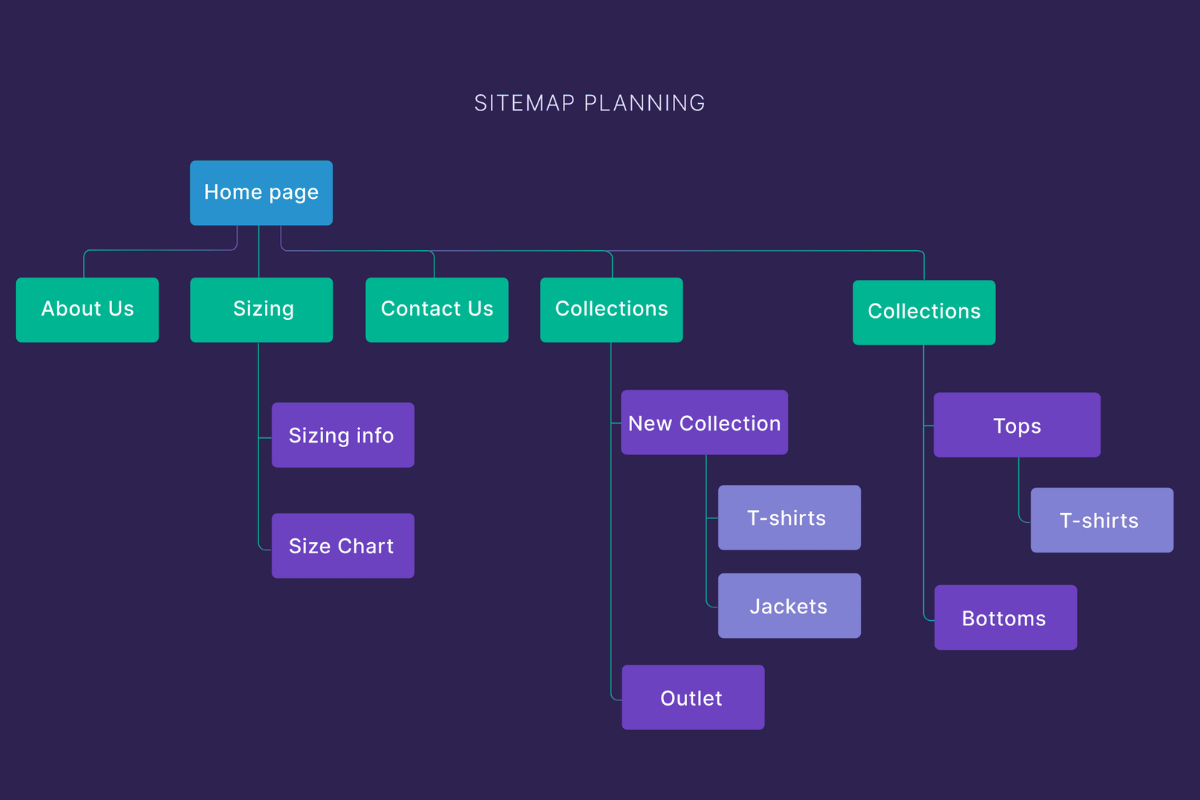
Every website should have a few essential pages:
- Home Page – Overview of your website
- About Page – Share your story or business background
- Services/Products Page – Detail what you offer
- Blog Page – Optional but great for SEO
- Contact Page – Include forms, email, phone, and location
8. Install Plugins
Plugins extend your website functionality. Some essential plugins include:
- Yoast SEO – Optimize content for search engines
- WPForms – Add contact forms easily
- WooCommerce – For e-commerce stores
- Elementor – Drag-and-drop page builder
- W3 Total Cache – Speed optimization
9. Optimize for SEO
SEO ensures your website ranks higher on search engines like Google. Key steps:
- Use keywords in titles, headings, and content
- Optimize images with alt text
- Ensure fast loading speed
- Create an XML sitemap and submit to Google Search Console
- Use internal and external links
10. Test Your Website
Before launching, thoroughly test your website:
- Check on different devices (mobile, tablet, desktop)
- Test loading speed using tools like Google PageSpeed Insights
- Check all links and forms
- Verify browser compatibility
11. Launch Your Website
After testing, it’s time to make your website live!
- Point your domain to your hosting
- Backup your website regularly
- Announce the launch on social media
12. Maintain Your Website
Building a website is just the beginning. Regular updates keep it secure and performing well:
- Update WordPress, themes, and plugins
- Monitor website traffic with Google Analytics
- Backup website regularly
- Keep content fresh and engaging
Web Hosting Pricing List (Popular Options)
| Hosting Provider | Plan Type | Starting Price/Month | Key Features |
|---|---|---|---|
| Bluehost | Shared Hosting | $2.95 | Free domain, SSL, 24/7 support |
| SiteGround | Cloud Hosting | $6.99 | Managed WP hosting, CDN, daily backup |
| HostGator | Shared Hosting | $2.75 | Unlimited bandwidth, free SSL |
| WP Engine | Managed WP Hosting | $20.00 | Fast, secure, scalable, premium support |
| A2 Hosting | Turbo Hosting | $4.99 | Speed optimized, SSD storage |
Conclusion
Building your first website may seem overwhelming at first, but following this step-by-step guide makes it manageable for beginners. From selecting a domain and hosting to designing pages and optimizing for SEO, every step contributes to a professional, fully functional website.
Take your time, explore themes and plugins, and continuously improve your site. With dedication, your website can grow into a powerful tool for your personal or business goals.
